The Ultimate Guide to Web Dev, Mobile & UX/UI Design (2026)
Having a website is no longer optional for most businesses. But merely having one isn’t enough: it must turn visitors into repeat customers, and both users and search engines should favor it.
Coding is essential, but so are good UX and UI. In this guide, we cover the basics of web development, mobile app development, and UX/UI design, whether you’re building your own website or app or working for clients.
The Importance of a Digital Presence
Imagine you’ve baked an amazing batch of cookies, but nobody knows about them because you haven’t told anyone. That’s what a weak digital presence is like. The internet is today’s town square, and it’s where most people look for the things they need.
A strong digital presence helps you in four ways:
- Being found: People constantly search for businesses, products, and information on their phones. Without a website or social profiles, you’re a shop with no sign.
- Building trust: A well-maintained website and positive online reviews work like word-of-mouth recommendations and show that you’re reliable.
- Reaching more people: The internet lets you go far beyond your local area.
- Building a community: Social media lets you chat with customers, answer questions, and share updates, which can turn them into loyal fans.
The Power of a Website
Most businesses start their online presence with a website, because search engines are where most people begin looking for products and services. Today, that includes AI assistants and AI-generated search summaries, which also draw on well-structured, high-quality websites.
Web Development
Web development is the process of creating and maintaining websites and web applications. It includes several areas:
- Front-end development: The user interface and experience in the browser, built with HTML, CSS, and JavaScript, often with frameworks like React. Front-end developers create the pages users interact with directly.
- Back-end development: The server side: application logic, APIs, and databases. Common technologies include Node.js, Python (Django, FastAPI), Ruby on Rails, PHP (Laravel), and more. At OneK, our own web apps are built with React, Node.js, and Python.
- Full-stack development: Full-stack developers work on both front end and back end, from the interface to server logic and data.
- Performance optimization: Techniques like code minification, caching, image optimization, and content delivery networks (CDNs) keep pages fast. Speed also matters for SEO, through Google’s Core Web Vitals.
Web Development vs. Web Design
Web development
- Covers the technical side of building websites and web applications.
- Includes front-end and back-end development, databases, security, and performance.
- Uses programming languages, frameworks, and tools to create functional, interactive experiences.
Web design
- Focuses on the visual side: layout, color scheme, typography, and overall look and feel.
- Designers create mockups and wireframes with tools like Figma.
- They may know some HTML and CSS, but their focus is on appealing, usable design rather than programming.
Related reading: Website Types and Best Practices to Get Noticed
The Web Development Process
- Requirement gathering: Understand the client’s needs, target audience, desired features, and objectives.
- Planning and analysis: Define scope, timeline, budget, and resources, often with wireframes, user stories, and technical specifications.
- Design: Designers create the layout, colors, typography, and imagery, using tools such as Figma to build mockups and prototypes.
- Development: Developers build the site to the agreed specifications. Front-end developers work on the client-side interface, while back-end developers build server logic and databases.
- Testing: Check functionality, cross-browser and cross-device compatibility, performance, accessibility, and security.
- Deployment: Publish the site to production, including hosting, domain and DNS setup, and an SSL certificate for secure connections.
- Maintenance and support: Monitor, apply updates and security patches, optimize performance, and support users after launch.
Benefits of a Well-Developed Website
A good website is more than an online brochure. It benefits both businesses and users.
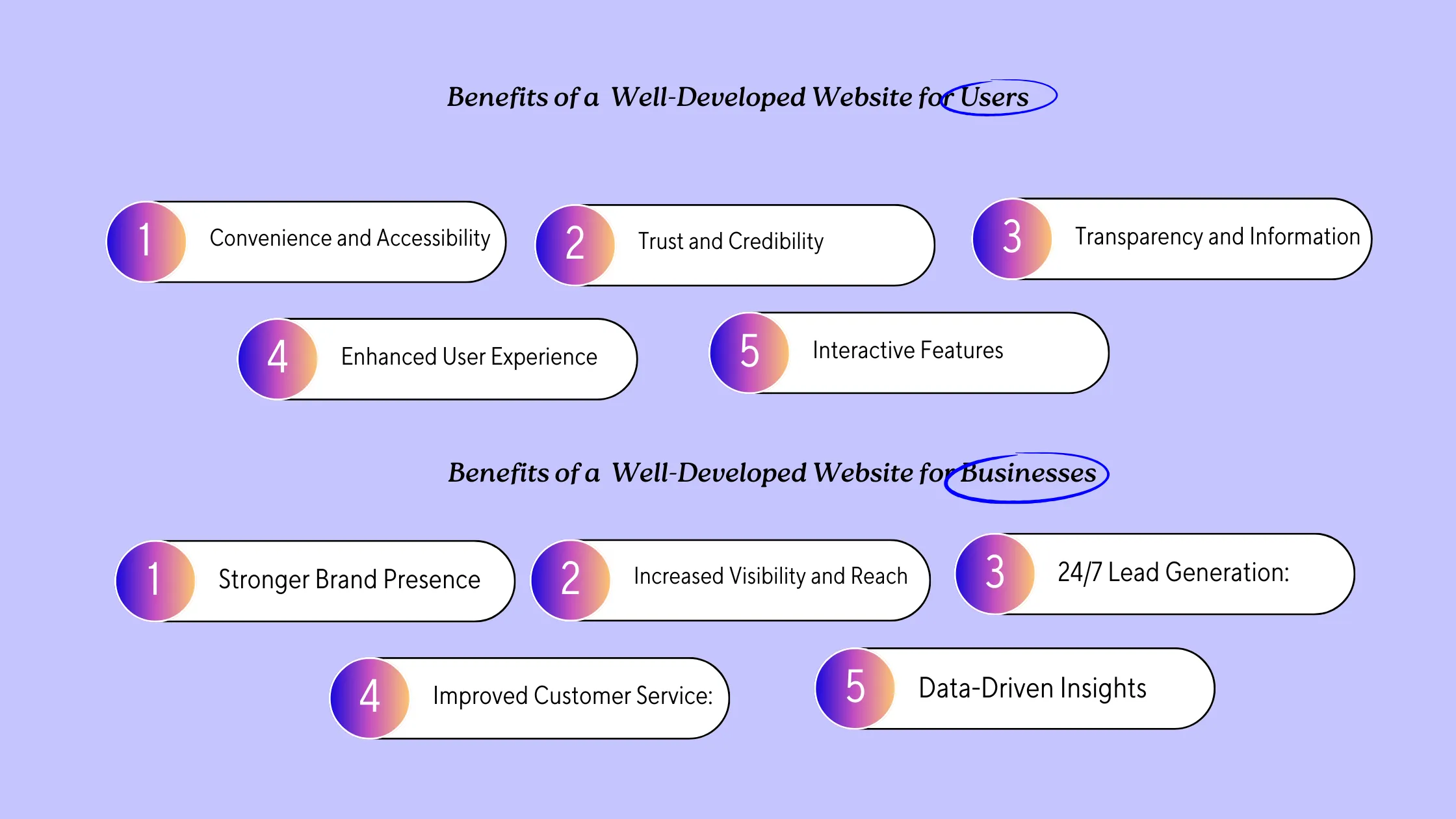
For Businesses
- Stronger brand presence: A professional website is a digital storefront that reflects your brand with clear messaging and quality visuals.
- Visibility and reach: SEO helps your site appear when people search for what you offer, reaching a far wider audience.
- 24/7 lead generation: Your website is always open. Visitors can learn about your offer, contact you, or buy at any time.
- Better customer service: FAQs, downloadable resources, and chat answer common questions and free your team for complex tasks.
- Data-driven insights: Analytics show who your audience is and how they use your site, so you can improve it and target your marketing.
For Users
- Convenience and accessibility: Users can research companies, compare products, and buy from anywhere, at any time.
- Trust and credibility: A professional, informative site shows that a business takes itself seriously.
- Transparency: Products, services, pricing, and contact details are available in one place.
- Better UX: A well-built site is easy to navigate, with clear calls to action and a logical flow.
- Interactive features: Online booking, product demos, and customer communities keep users engaged.
Mobile App Development
Mobile app development is the process of creating applications for smartphones and tablets, taking into account screen size, operating system, and user experience. Here are the main types of mobile apps.
Native Apps
- Built for one platform, iOS or Android, using its native languages and tools: Swift for iOS, and Kotlin for Android.
- Offer the best performance, deep integration with device features such as the camera and GPS, and a polished experience.
- Pros: Optimal performance, full access to device features, smooth experience.
- Cons: Separate development for each platform, which can be more expensive and slower.
Web Apps
- Mobile-friendly websites accessed through a phone’s browser, built with HTML, CSS, and JavaScript.
- Work on any device with a browser, but have fewer capabilities than native apps.
- Pros: Wide reach, faster and often cheaper to develop.
- Cons: Limited access to device features, and they need an internet connection.
Cross-Platform Apps
- Use frameworks like React Native, Flutter, or Kotlin Multiplatform to share much of the code between iOS and Android.
- Strike a balance between functionality and development time and cost, and modern frameworks come close to native performance for most apps.
- Pros: Faster, more cost-effective development with access to most device features.
- Cons: Some advanced or platform-specific features may still need native code.
Progressive Web Apps (PWAs)
- Web apps that offer app-like features, such as offline support and push notifications, without an app store installation. Pinterest is a well-known example.
- Pros: Work across platforms and don’t require app store installation.
- Cons: Features can be limited compared to native apps, especially on iOS.
The right choice depends on your budget, desired features, target audience, and platforms. Understanding these options gives you a solid starting point.
How Great Mobile Apps Captivate Users
Imagine you’re on the go and craving a burger. You don’t want to call or wait in line, so you open the restaurant’s app, order in a few taps, customize your meal, and pay in advance. That is convenience, personalization, and a seamless experience: the power of a well-designed app.
Two apps show how this works:
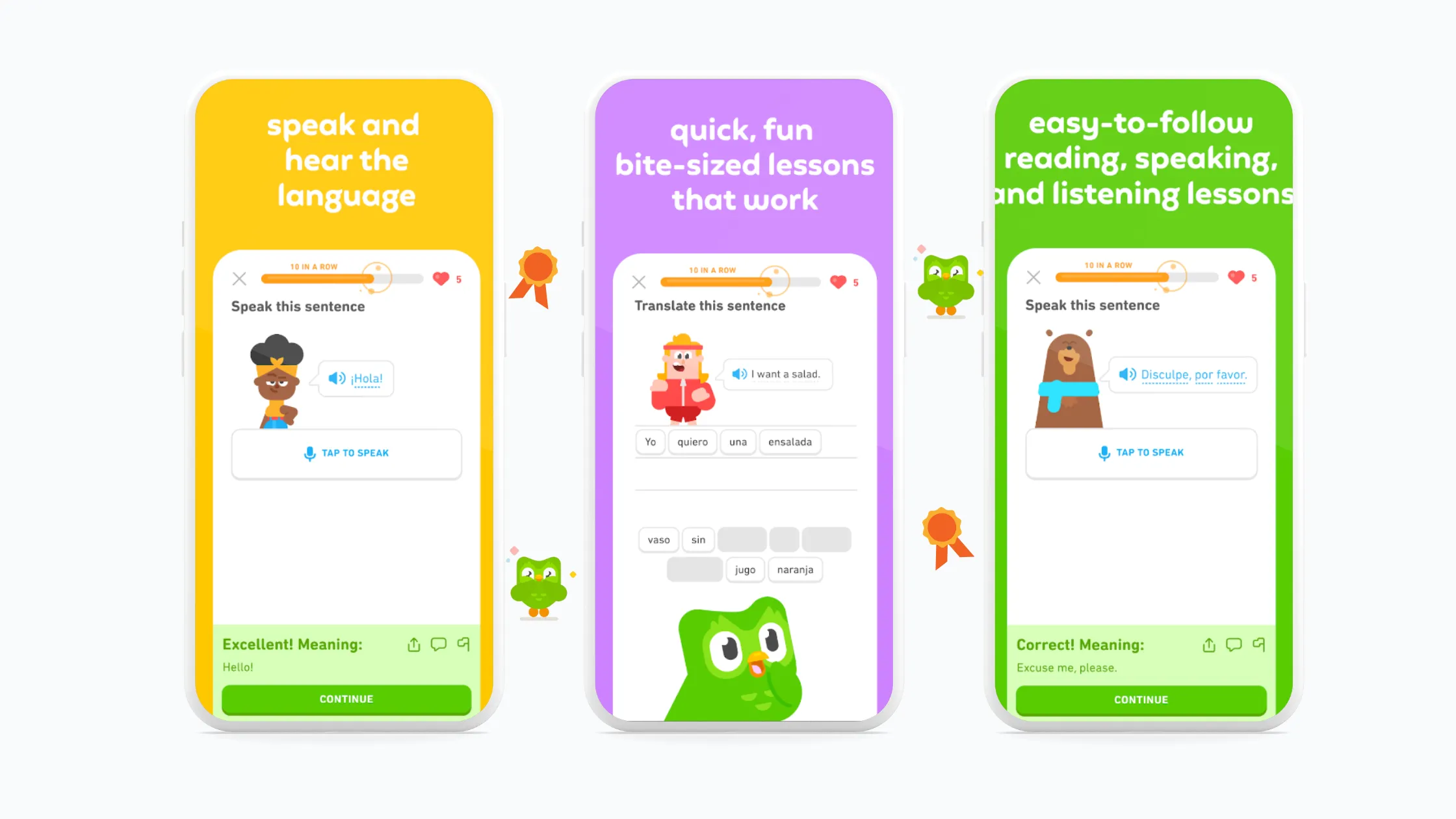
- Duolingo: This language learning app combines gamification, bite-sized lessons, and personalized learning paths. The app adapts to your pace and keeps you motivated to come back.
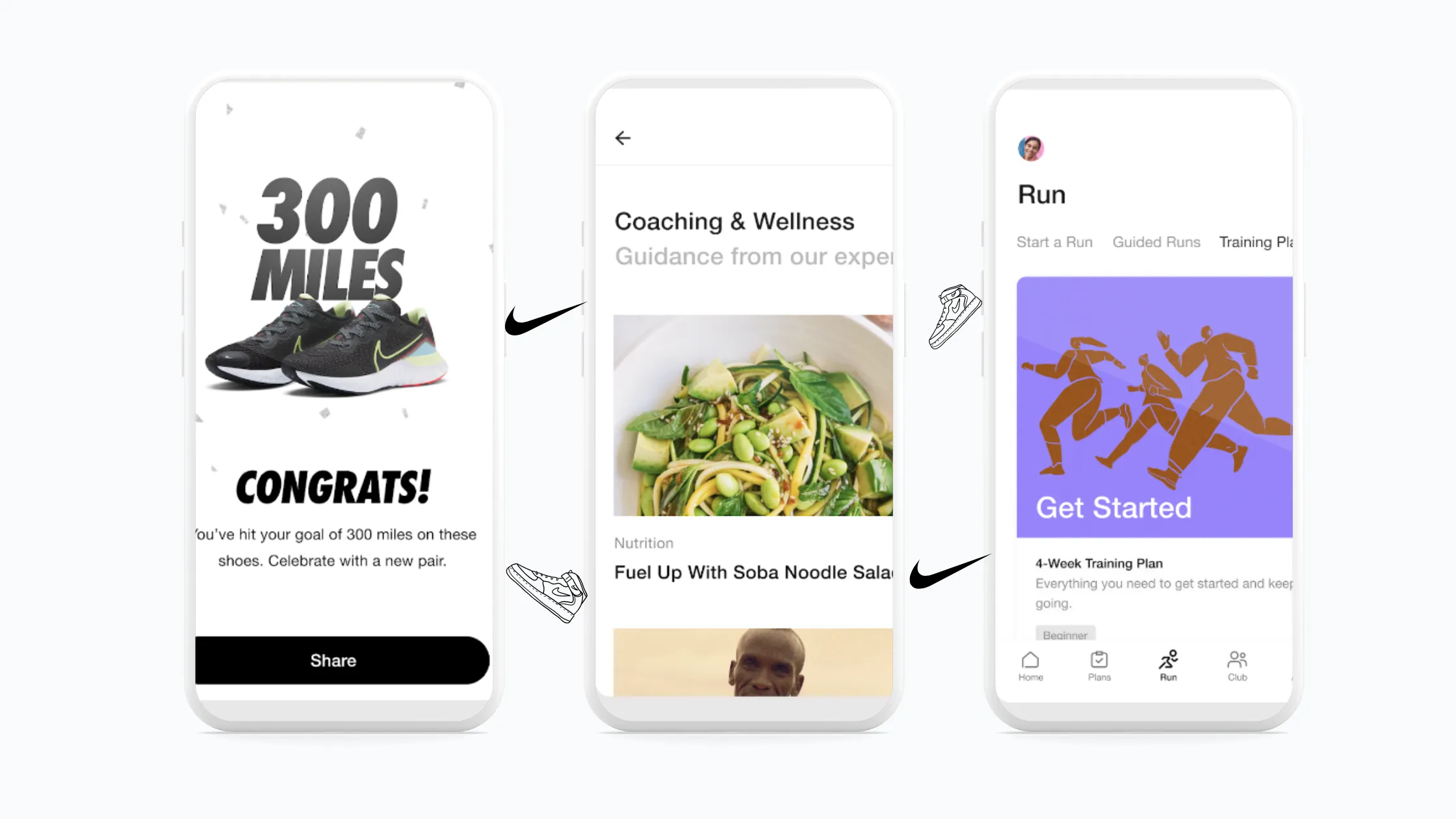
- Nike Run Club: This running app focuses on community and motivation. Users can connect with friends, share goals, and join challenges. Guided runs with audio coaching, training plans, and wearable integration support their progress.
The key takeaway: great apps go beyond basic functionality. They offer:
- Convenience and speed: They streamline tasks and anticipate user needs.
- Personalization: They cater to individual preferences and past behavior.
- Engagement: They use gamification, social features, and interactive elements.
- Value: They offer rewards, loyalty programs, and exclusive benefits.
Focusing on these elements improves the experience and builds brand loyalty. Happy users become advocates who spread positive word of mouth.
UI/UX Design
UI (User Interface)
- The visual and interactive elements of a digital product: buttons, menus, icons, text, images, and layout.
- The goal is an attractive, intuitive interface for easy navigation and efficient tasks.
- UI designers focus on typography, color, spacing, visual hierarchy, and consistency.
UX (User Experience)
- The overall experience and satisfaction users have with a digital product, including their perceptions, emotions, and behaviors before, during, and after use.
- The goal is a seamless, meaningful experience that meets user needs.
- UX designers conduct user research, create personas, design user flows and wireframes, and iterate to improve usability and accessibility.
UI vs. UX
| Aspect | UI | UX |
|---|---|---|
| Focus | Look and feel | Ease of use |
| Example | Buttons, menus, screens | How quickly you find something |
| Analogy | Furniture in a house | How smoothly you move around the house |
You may also like: How UX Helps Businesses Drive Growth
UI Design Principles
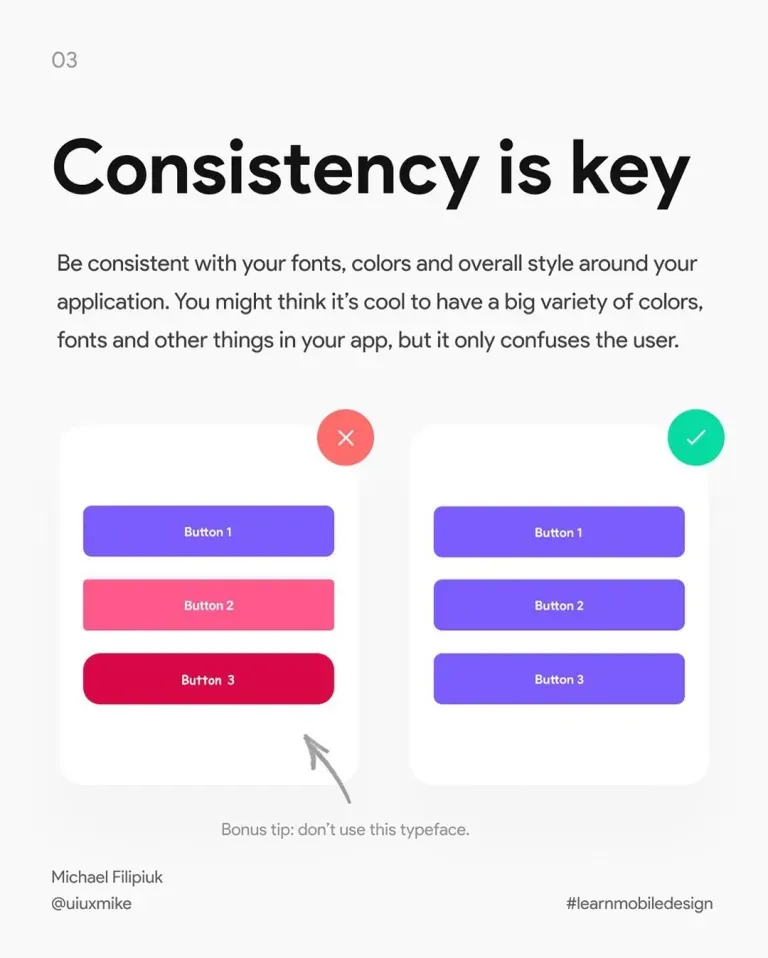
1. Consistency. Consistent button styles, colors, and typography across all pages make navigation predictable and familiar.
2. Clarity. Clear labels on menu items and buttons let users grasp their purpose quickly. See also The importance of clarity in UX.
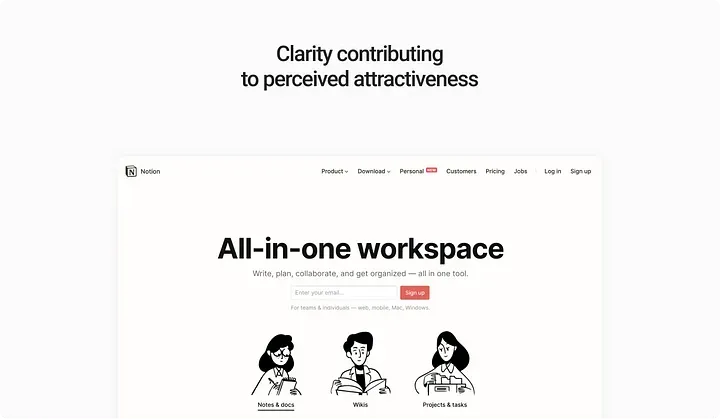
3. Simplicity. Removing unnecessary elements helps users focus on essential tasks. Google’s search homepage, with its single search bar, is a classic example.
4. Visual hierarchy. Size, color, and contrast guide attention to what matters most, such as headlines and call-to-action buttons.
UX Design Principles
- Accessibility: A mobile banking app with adjustable font sizes, voice navigation, and high-contrast modes can be used effectively by people with disabilities.
- Efficiency: Fewer checkout steps and clear progress indicators help users finish transactions quickly.
- Learnability: Familiar patterns, such as standard icons for “Save” or “Delete,” make a new app easy to learn.
- Error prevention: Input validation and helpful error messages guide users toward success without frustration.
Essential Tools for UI/UX Designers
Designers rely on a range of tools to create interfaces that are both beautiful and functional.
Design and Prototyping
- Figma and Sketch: Vector-based design and prototyping tools for user interfaces. Figma is the most widely used for team collaboration.
Graphics and Assets
- Adobe Photoshop: The go-to tool for image editing.
- Adobe Illustrator: For vector graphics and icons.
Usability Testing and Handoff
- UserTesting: Remote usability testing with real users.
- Zeplin: Bridges design and development with specs and style guides. Figma’s Dev Mode also covers much of this handoff.
The Tech Trio: UI/UX and Web and App Development
Here is how the three disciplines work together:
- Planning (UI/UX design): UX designers research the audience and map the user journey. UI designers turn those journeys into wireframes and define the visual style with color schemes, fonts, and iconography.
- Construction (web and mobile development): Web developers build the site from the wireframes and style guide using HTML, CSS, and JavaScript, and make sure it works on all devices. Mobile developers use Swift or Kotlin, or a cross-platform framework, to turn the design into a working app.
Final Thoughts
When web development, mobile development, and UI/UX design work together, you can build a product that thrives. Keep these takeaways in mind:
- Focus on the user: Prioritize user needs and frustrations throughout development, and rely on research and testing.
- Mobile-first mindset: Design with mobile constraints in mind, with a clean, clear interface that works at every screen size.
- Web development synergy: Build a solid back end that integrates smoothly with your front end or mobile app.
- Iterate and refine: No product is perfect on launch day. Gather feedback and keep improving.
Ready to turn your digital idea into a product users love? Contact OneK and let’s build it together from Tangier, Morocco.